Custom coloring sheets: why outlines get thicker when resized
An SVG outline normally gets thicker when you enlarge the drawing. If you need a fixed screen-width outline, the source can use vector-effect="non-scaling-stroke". Compare the four downloadable files below before choosing: a fixed-width line also stays thin when the picture gets larger.
Compare two sizes and two stroke behaviors
Each fixture has a 240 × 240 view box and the same centered square with an 8-unit stroke. The small files display at 240 × 240 pixels; the large ones at 480 × 480. We measured the opaque black run through the upper edge at the horizontal midpoint, using Chrome at each file's natural size.
| Sample | Rendered size | Measured edge |
|---|---|---|
| Scaling, small | 240 × 240 | 8 px |
| Scaling, large | 480 × 480 | 16 px |
| Fixed, small | 240 × 240 | 8 px |
| Fixed, large | 480 × 480 | 8 px |
The large scaling sample doubles both the square and its stroke. The fixed sample doubles the square but retains an 8-pixel edge. No point in the square was moved. This checks SVG rendering, not an AI model's drawing quality or a physical printer's ink spread.
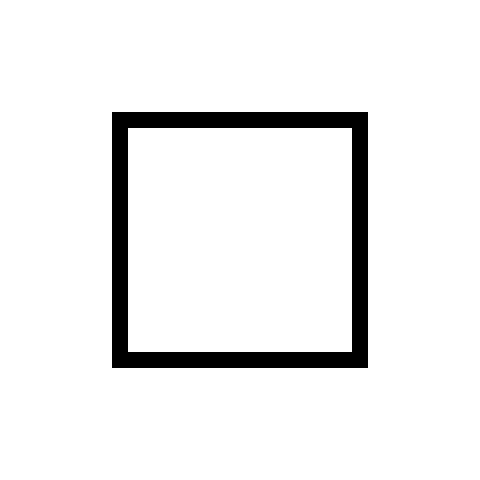
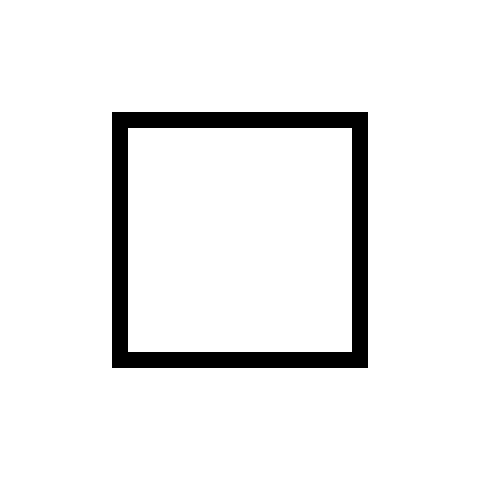
Download small scaling SVG · Download small fixed-stroke SVG
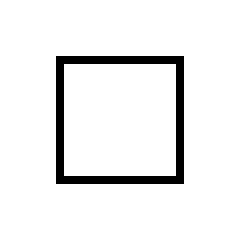
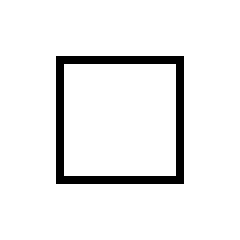
Which behavior should I keep?
Use ordinary scaling when the line weight should grow with the subject. Try a non-scaling stroke when a display needs a constant-width outline at several sizes, then inspect the large version for lines that feel too light. Keep an untouched source file and export a separate copy for each intended use.
For a PNG export, inspect the final pixel size. Once the outline becomes pixels, enlarging the PNG scales those pixels; it cannot preserve a vector stroke setting. See the print-resolution comparison for placing raster files on paper.
Stroke scaling questions
Does this setting fix a solid black opening?
No. It controls stroke scaling. For nested filled shapes, compare the separate SVG fill-rule examples.
Will a non-scaling stroke always be eight pixels?
Only these samples specify an eight-unit stroke and were measured in this rendering setup. Different source widths or later raster resizing require a fresh check.
Were the samples physically printed?
No. The measurements cover Chrome rasterization, file downloads and page layout. Printer and external vector-editor behavior remain untested.
Reference: W3C SVG vector effects. These are simple diagnostic vector files, separate from the reviewed AI gallery.