ACTIVITY NOTE / OCTOBER 5, 2026
Custom coloring pages.
Fold them into a card.
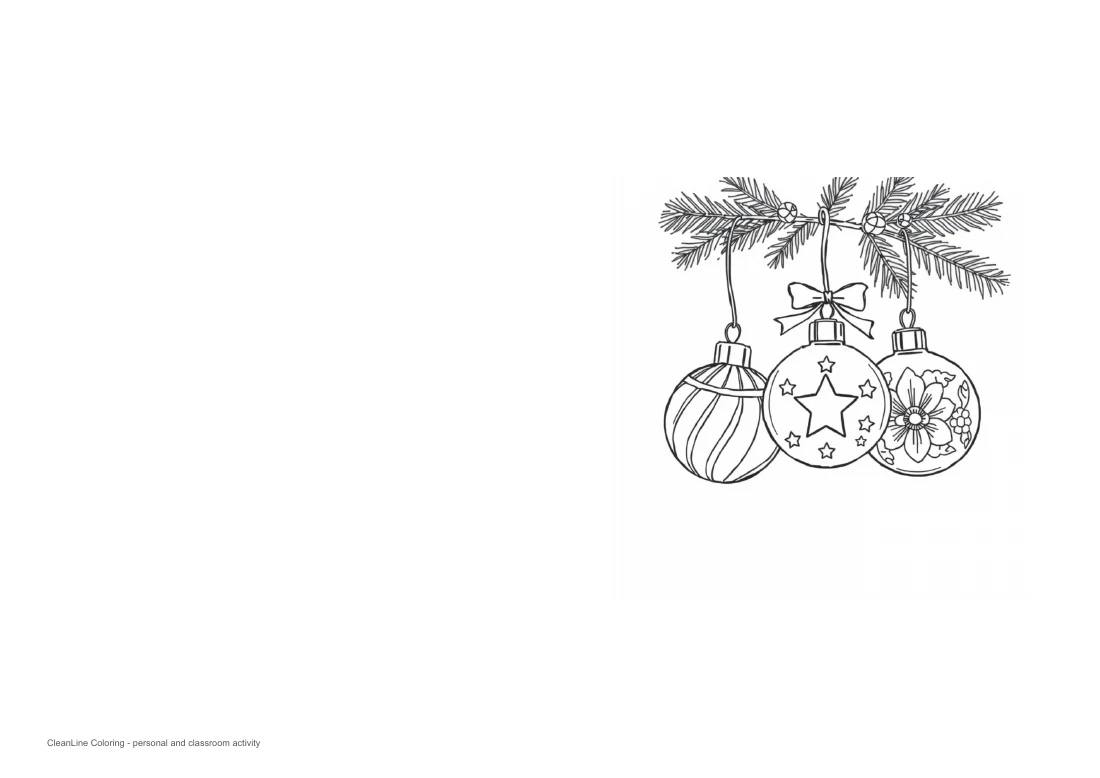
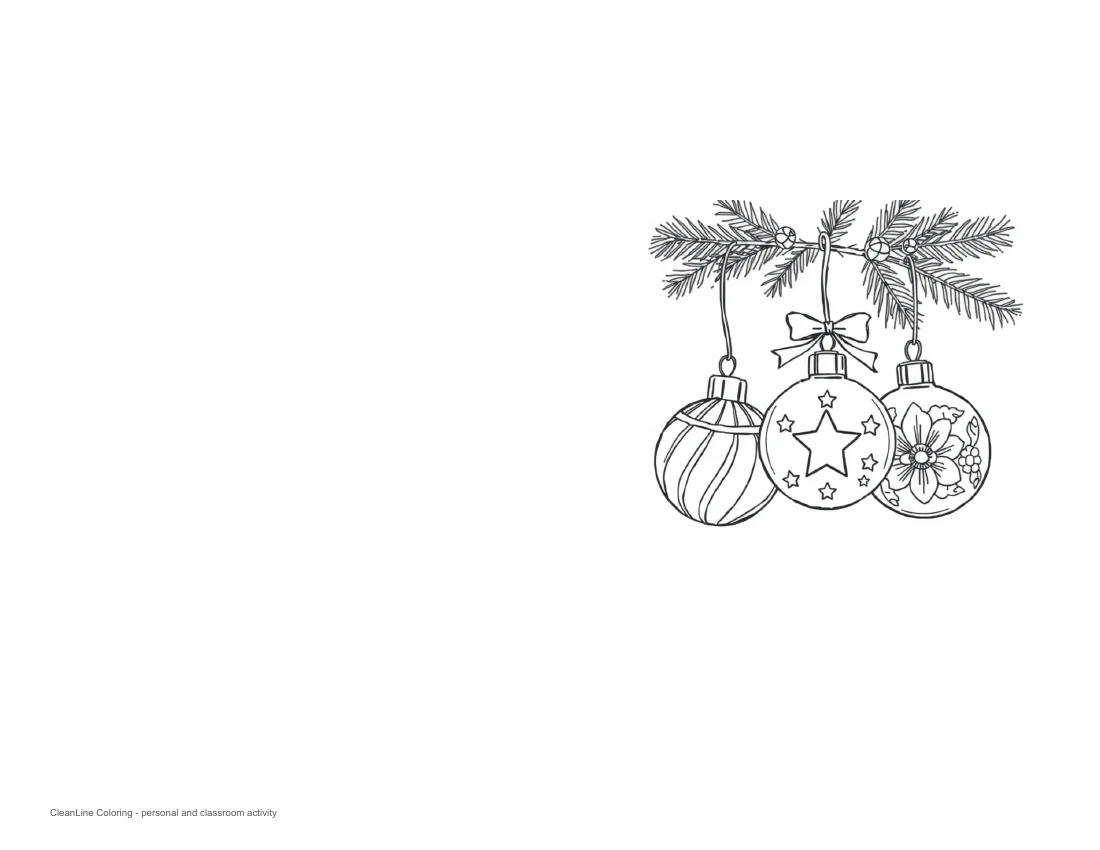
To turn a square coloring image into a folded card, put it on the right half of a landscape sheet and leave the other half clear. Print one side, keep the picture upright, then fold the left half behind it. Our two downloadable PDFs already position a reviewed ornament illustration this way: choose A4 or US Letter to match your paper.
This is a prepared activity, not a new generator feature. It answers a layout question: how do you make a card without shrinking a whole portrait coloring sheet into the wrong half? You can color the front, write a message inside and use the same measured arrangement for your own permitted image.
Watch the card-layout walkthrough
Watch our folded coloring card walkthrough on YouTube. It shows these actual PDF layouts with English on-screen captions and no voiceover. It is a digital layout demonstration, not footage of a physical print or fold.
Two real layouts, one illustration
Both PDFs contain the same reviewed Cloudflare AI ornament illustration from our Christmas coloring collection. We placed its 1024-pixel square in a 4.5-inch square on the front panel. The left panel is blank except for a small activity credit near the bottom. Neither file contains an editable name field or an automatically generated message.
Choose the paper before choosing the scale
The A4 file is 297 × 210 mm in landscape orientation. A center fold makes a 148.5 × 210 mm card. The Letter file is 11 × 8.5 inches; its folded panel is 5.5 × 8.5 inches. These are file dimensions, not measurements from a printed sample. They are different sizes, so using Letter paper for the A4 download can move the margins and change the final card.
- Download the PDF that matches the sheet loaded in your printer.
- Open the file in a PDF viewer and inspect its landscape preview. The picture should appear on the right, not across both halves.
- Select single-sided printing. Check that the paper setting matches the file; automatic rotation should preserve the landscape layout.
- Use Actual size or 100% if your printer's preview fits the design within its printable area. Use Fit if it warns about clipping, understanding that the picture and card spacing may become smaller.
- Print one proof before making a set. Check the picture, fold position and orientation on that sheet first.
Our layout leaves at least half an inch between the picture and both the fold and outside edge. That measured clearance does not prove compatibility with every printer. Use paper that your printer supports; thicker stock may make a firmer card but can require a different feed path or media setting. We have not tested a physical printer.
Fold and personalize without losing the picture
Start with the printed face toward you and the ornaments upright. Bring the left edge behind the right panel so the two outer edges line up, then crease the center gently. The illustration stays on the outside front; the reverse of the sheet provides a blank inside spread. There is no cut line and you do not need to trim the illustration to make this single-fold format.
Before pressing the crease firmly, check which way the card opens. Write a greeting inside and a short name above or below the picture if you want one. The ornament drawing already has small patterned spaces; keep added text separate so letters do not compete with the coloring areas. For a classroom group, assign one shared palette, then let each person write their own message rather than producing identical cards.
Use your own square image with the same measurements
In a document editor, make a landscape A4 or Letter page. Divide its width in half and center your square image within the right panel. Set its width and height to 4.5 inches, preserving its aspect ratio. Leave the left half mostly blank and export one page to PDF. These prepared downloads are fixed examples; they do not upload, process or save your private photograph.
For a new scene, use the AI coloring page generator, save your result and inspect it before placing it in a document. For an existing picture, follow the photo conversion workflow. Do not stretch a portrait output into a square: crop intentionally or choose a smaller, proportionate picture that fits your panel.
The supplied illustration has 1024 pixels across. At 4.5 inches that works out to about 228 pixels per inch: 1024 divided by 4.5. That is a resolution calculation, not a print-quality score. Enlarging it to a full sheet does not create more detail. Keep a high-resolution original if your own artwork has finer lines, and check the smallest ornament pattern on a proof before printing many copies.
What we checked, and what remains untested
We generated two one-page PDFs, inspected their paper dimensions and embedded image, and rendered both with Poppler. The digital previews show an unclipped illustration on the right and an open left panel. The downloadable files use the same reviewed illustration; no competitor artwork or branded character was used. Personal and classroom activity use is the intended context, not a commercial printing-license guarantee.
We have not tested ink use, paper feeding, a physical fold or how crayons and markers behave on a finished card. PDF rendering verifies the digital arrangement. It cannot substitute for your printer's proof sheet. For separate pages collected into a book rather than a folded card, read printing your own coloring book.
Questions about folded coloring cards
Does the generator make a folding layout?
No. These two downloads are prepared PDF layouts made from one reviewed illustration. The live generator creates an image or page, not this folded-card template.
Which side becomes the front?
The illustration is on the right half of the landscape sheet. With the printed side facing you, fold the left half behind the right half. The illustrated panel becomes the front and the inside stays blank.
Can I add a name before printing?
These PDFs do not have editable name fields. Add a name by hand, or place your own image and readable typed text in a separate document. Do not rely on an image model to spell a name correctly.
Have these cards been tested on paper?
No. We verified the PDF dimensions, embedded image and digital renders. We have not tested a physical printer, paper feeding, folding or finished-card sharpness.