AI GENERATED COLORING PAGES / A DIGITAL FILL CHECK
Find the gap before a fill escapes.
A digital bucket fill can spread into the background when a white path crosses a broken outline. Compare the two prepared diagrams below: they differ only at one small opening. This experiment helps explain a defect to inspect in AI generated coloring pages; it does not automatically approve an illustration or repair its drawing.
One seed, two outlines
Loading the closed outline…
Original files: Download closed outline PNG · Download open outline PNG
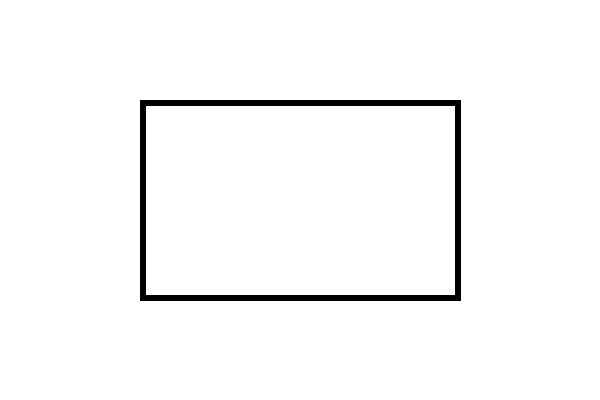
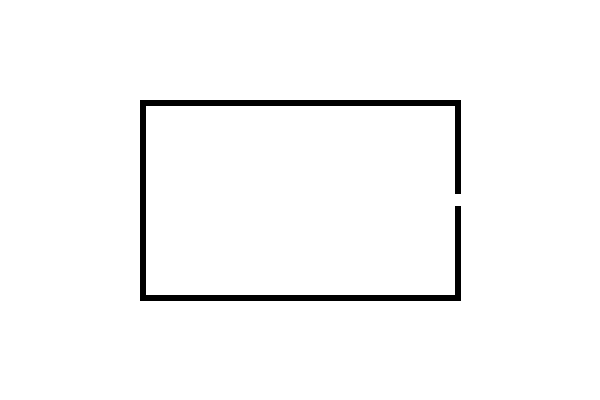
Try the closed and open outlines
- Start with Closed outline and press Run center fill. The blue region should stay inside the rectangle.
- Choose Open outline, then run the same fill again. Look at the right edge: the small white opening connects the inside to the outside.
- Compare the pixel count and the message about reaching the canvas edge. The seed, dimensions and fill rule stay the same.
- Use Reset diagram to return to the source. Download current PNG saves the actual canvas, including the blue diagnostic fill if it is visible.
The blue is an inspection overlay, not part of a downloadable black-and-white coloring sheet. The original diagrams remain available separately. Neither diagram is presented as an AI-generated example or a new gallery illustration.
What our controlled comparison measures
Both source PNGs are 600 by 400 pixels. Each contains the same black rectangular outline, six pixels thick, on white. In the open version we erase a short section of its right border. The opening crosses twelve rows of the border. We begin at column 300, row 200 in both images, using zero-based coordinates. From each eligible pixel the fill visits only its left, right, upper and lower neighbors. Diagonally touching pixels alone are not a connection under this rule.
The browser reads the source pixels, visits the connected near-white region and colors it blue. A pixel is eligible only when every red, green and blue channel is at least 250 and its opacity channel is at least 250. Our prepared fixtures contain only fully opaque black and white, so there is no gray-edge ambiguity in this comparison. This deliberately narrow test makes the role of the opening observable without mixing in photographs, compression or background removal.
| Source | Filled pixels | Canvas edge reached |
|---|---|---|
| Closed | 58,401 | No |
| Open | 233,952 | Yes |
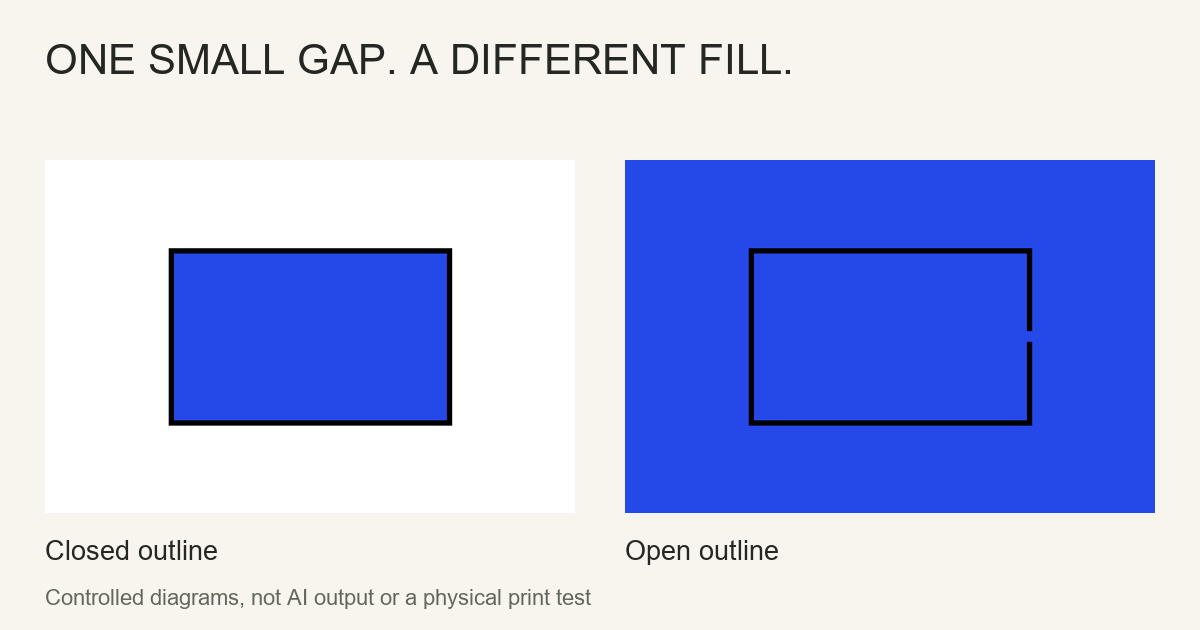
The counts describe these exact files and this seed. They are not a quality score, a percentage of usable AI outputs or a measurement of another website. Reopen either saved source and compare the right edge at full resolution. Our Python reference calculation and the browser implementation use the same neighborhood rule; the release record stores the actual file hashes and browser observations.
Inspect real artwork without over-reading the result
First decide whether an open contour is a defect. An artist may deliberately leave a highlight, a loose hair line or the edge of a cloud unfinished. That can still work well for coloring with pencils. A digital bucket tool, however, may need a continuous boundary or its own gap-closing setting. Choose according to the activity rather than labeling every open mark a bad drawing.
At the original image size, follow the boundary around the region you want to fill. Pay particular attention to a hand meeting a sleeve, an animal's ear meeting its head and a vehicle panel crossing another line. A small accidental opening can be hard to see in a reduced WebP preview. Download the full original before judging it. Our artwork inspection checklist covers different problems such as extra tails, disconnected limbs and incomplete subjects. A closed contour cannot prove those features are correct.
Do not use an edge-reaching result as a universal reject signal. The sky and the outside of a subject are supposed to reach the picture boundary. Conversely, a fill that stays inside one small pocket says nothing about other regions. The seed position matters. This page tests the center of two fixed diagrams and has no upload field, so it does not analyze your private photos or validate every picture in a collection.
Choose a repair that fits the intended use
For a small accidental gap, edit your own copy in a compatible drawing editor and connect the intended contour, then inspect the join again. Keep the original unchanged so you can compare it. Do not bridge every nearby line automatically: a connection between a foot and the ground can erase the separation between those objects. If the drawing contains substantial anatomical or structural mistakes, correct or replace the artwork instead of hiding the problem with a heavier outline.
Changing formats is a separate decision. Saving a broken line as PNG preserves its existing pixels; it does not invent the missing connection. Converting it to SVG does not guarantee a meaningful closed shape either. Our PNG and JPEG comparison shows a different problem: changed pixels around otherwise identical marks. Keep that distinction when explaining why a bucket tool behaves unexpectedly.
After a digital edit, reopen the saved file rather than checking only an editor's unsaved preview. Compare the full subject, line joins and white spaces. If you plan to use paper, inspect placement in print preview and try one proof before making copies. We have not tested a physical printer for these diagrams, and this digital experiment does not establish paper, marker or bleed-through performance.
The pixel-reading method uses the browser's documented Canvas getImageData API. Our threshold and fill traversal are the experiment's own choices, not defaults promised for other coloring tools. No competitor's pictures or wording are used in these fixtures.
Questions about open coloring outlines
Does a gap always make a coloring page unusable?
No. An intentional open contour may work well with pencils. It can behave differently in a digital bucket tool, depending on that tool's fill and gap settings.
Can this experiment check my uploaded picture?
No. It uses two prepared original diagrams and one fixed center seed. There is no upload field or whole-image quality certification.
Why is the diagnostic fill blue?
Blue makes the visited white region visible. It is an inspection overlay; the separate source downloads remain black outlines on white.
Will a bolder style fix every outline defect?
No. A thicker line may cover a small opening but can also merge nearby details. It cannot establish correct anatomy or recover a missing subject.
Does this prove the drawing will print correctly?
No. It demonstrates digital pixel connectivity only. Physical printing has not been tested for these diagrams.