REAL OUTPUTS / A BEFORE-PRINT REVIEW
AI generated coloring pages: check the picture before you print
Before printing an AI-generated coloring page, check five things: unfilled coloring areas, readable boundaries, complete subjects, sensible limbs and a usable layout at your intended size. A black-and-white image can still fail these checks. The real examples below show why we kept some dinosaur drawings and rejected others.
This is an inspection guide for generated artwork, not a generator setting comparison or an age recommendation. You can apply the checklist to your own permitted image or inspect our examples here. The drawings were generated for CleanLine Coloring and reviewed on screen; we have not tested them on a physical printer.
1. Check the spaces, not just the black outlines
Look for areas you can actually fill with your chosen pencil or marker. A line drawing may have a large white body but an almost solid nest, grass patch or tangled background. Decide whether that detail belongs in your activity. You do not have to color every gap, and a small black pupil is different from a prefilled body or a dark sky.
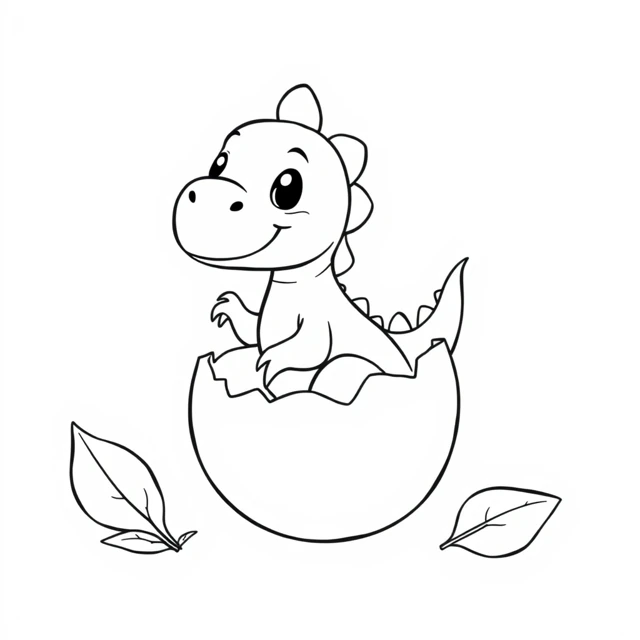
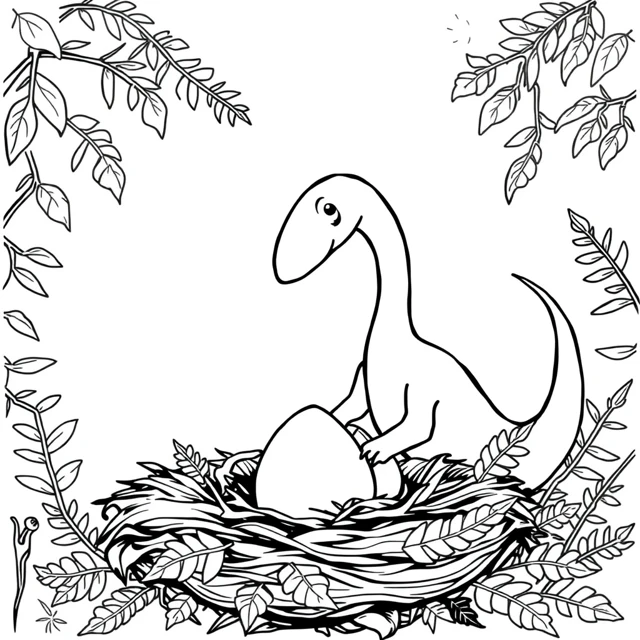
These are different generated compositions, not a controlled experiment changing one setting. We cannot attribute the difference to a single prompt word. The useful observation is narrower: the broad shell in the first image is easier to distinguish on screen than the nested lines in the second. Inspect the result you received instead of assuming that an instruction such as “open coloring areas” was obeyed.
2. Follow boundaries and check the whole character
Trace the silhouette with your eyes before concentrating on decorative details. Does the tail end inside the page? Can you separate each character from the next? Where does an arm or leg attach? A pleasing face does not establish that the rest of the body makes sense. For an imaginary creature, you can allow playful features while still checking that its parts connect coherently.
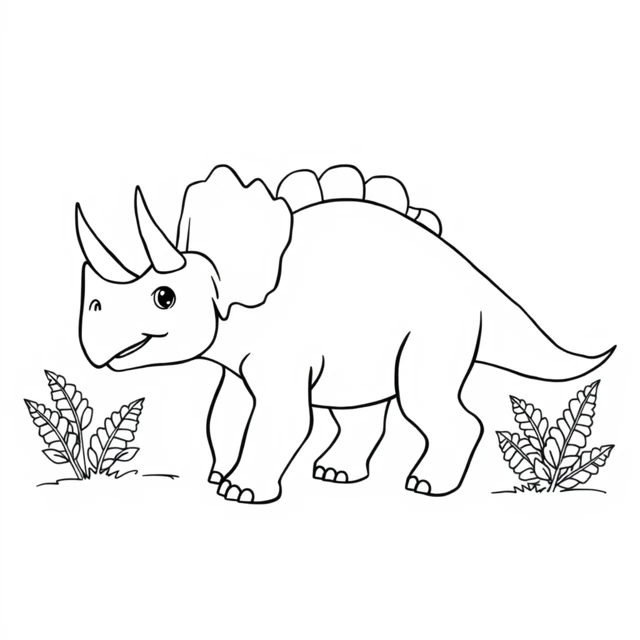
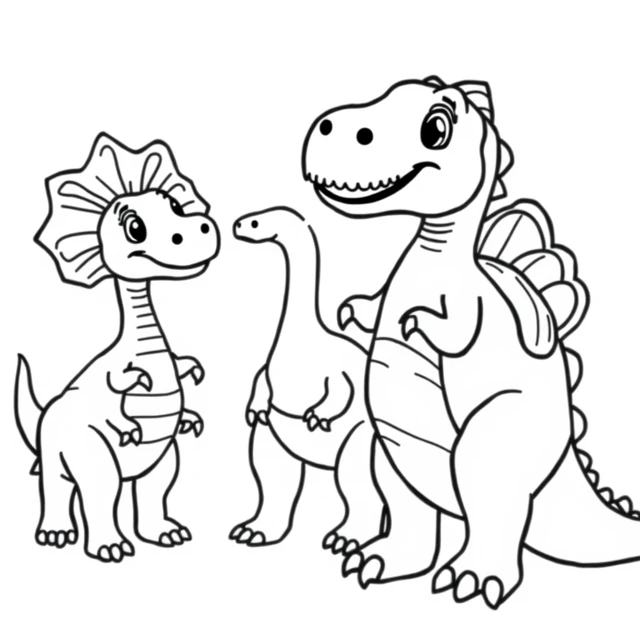
Do not use a darker outline to hide a missing tail or an ambiguous limb. If the mistake matters to the activity, choose another result or simplify the scene and generate again. A drawing can have attractive individual shapes and still be unsuitable as a complete page. We did not paint over these rejected outputs to disguise their problems.
3. Inspect the size you will actually use
First look at the full picture, then enlarge a crowded area to see what its marks represent. Finally, inspect the picture at its intended placement on the page. An enlarged screen preview can hide how small a fern or a frill section becomes when the whole drawing is reduced. Do not treat a file's pixel dimensions as proof that every detail will print clearly.
The two accepted example PNGs shown here are 1024 × 1024 pixels; other images in the collection may have different dimensions. Their web previews are smaller WebP files. Download the original PNG when you want the available source resolution; saving the thumbnail is not the same action. These are square images, not pre-made A4 or Letter PDFs. In a print dialog, choose the paper loaded in your printer and check the margins. We have not verified paper output, ink consumption or suitability for a particular marker.
Use this review list on your next result
Tick a line only after looking at your own image. These checkboxes are a manual reminder, not automatic image analysis or a quality score. No checklist answers are saved by this page.
If one check fails, decide whether to leave that detail white, choose a simpler picture or regenerate a simpler scene. “Regenerate” is a possible next step, not a guarantee that the next output will pass. You can also begin with one of the reviewed dinosaur pictures and use its page-local selection and download controls.
FAQ
Are all black-and-white AI generated coloring pages ready to print?
No. Check the open coloring areas, shape boundaries, complete silhouette, coherent limbs and intended size. A black-and-white output can still contain dense texture, ambiguous parts or a cropped subject.
Should I download the preview or the original picture?
For the reviewed examples here, use the original PNG download on the dinosaur collection page. The two accepted example files shown here are 1024 × 1024 pixels; other collection files may differ. The WebP previews are smaller. Downloading the original preserves the available source resolution but does not guarantee a physical printing result.
Do detailed pages suit a particular age?
We have not tested an age range. Compare the actual open spaces and small shapes with your coloring tools and preferences. More background detail is a choice, not evidence that a page is better for a particular age.
Can a better prompt guarantee a usable drawing?
No. The rejected nest and crowded group are real generated outputs. Requesting open areas or a complete subject still requires inspecting the resulting picture. Simplifying the scene may be worth trying, but it is not a guaranteed correction.