CUSTOM COLORING SHEETS / KEEP THE ORIGINAL FILE
Why clean outlines can look dusty after saving.
Keep your original PNG when you want to preserve a coloring sheet's existing pixels. Re-saving it as JPEG can add pale marks around sharp black lines. Compare our controlled files below: the picture dimensions stay the same, while the encoded pixels and file sizes change. This is a digital file experiment, not a claim about every drawing or printer.
Compare the saved files
Original PNG · 600 × 400 source pixels. Enlarged detail is 6× nearest-neighbor.
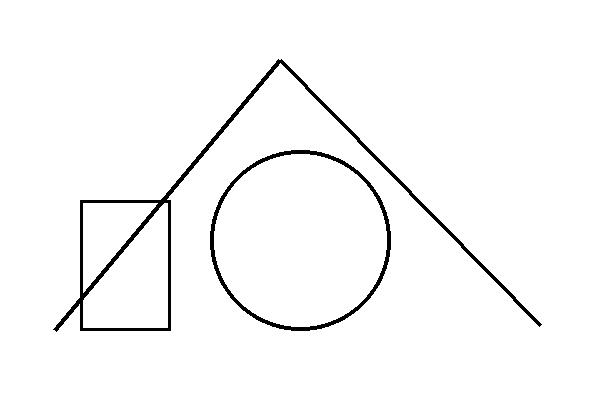

What changed in this experiment?
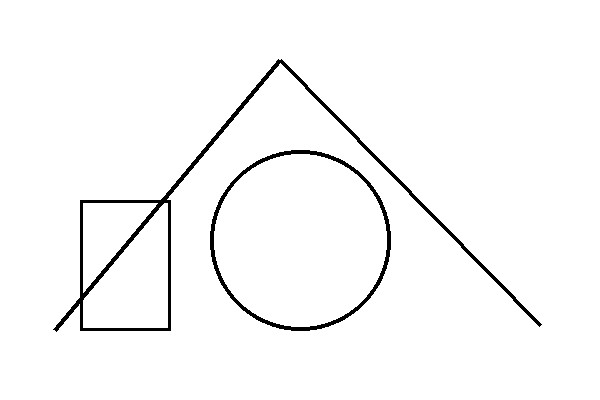
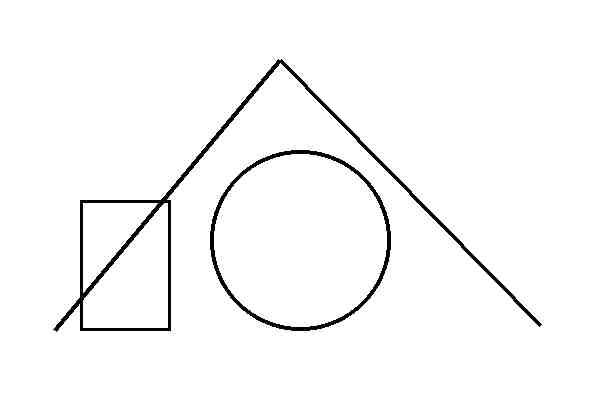
We drew a small, deliberately plain diagram with black lines on white: two diagonal strokes, a circle and a rectangle. It is a test pattern, not an example of the illustration quality in our collections. The source is 600 × 400 pixels. We saved it as PNG and encoded the same source as JPEG at Pillow quality settings 90 and 25, without changing its width or height. Those settings belong to this encoder; a setting with the same number in a different application need not produce the same file.
The enlarged detail uses the same 100 × 80 source-pixel rectangle in each version, displayed at six times its original width and height with nearest-neighbor enlargement. That makes individual pixels easier to inspect. It does not invent detail, sharpen the drawing or simulate a printed result. You can download the full files and check them in a viewer instead of relying on the enlarged page preview.
| File | Bytes | Originally white pixels changed | Pale-gray subcount (200–254) |
|---|---|---|---|
| Original PNG | 4131 | 0 | 0 |
| JPEG · Pillow quality 90 | 21367 | 6027 | 6027 |
| JPEG · Pillow quality 25 | 12235 | 6700 | 6279 |
Read the counts without turning them into a quality score
For every position that was pure white in the source, we checked whether the decoded comparison pixel was still exactly RGB 255, 255, 255. A changed white pixel is any different RGB value at that same position. The pale-gray subcount includes equal red, green and blue values from 200 through 254. These are explicit counting rules for this test pattern. They do not measure legibility, eye strain, printer ink use or whether somebody will enjoy coloring a page.
A blank-looking region may contain near-white pixels that are difficult to see at normal size. A lower-quality JPEG can also change pixels on the black lines. Our count deliberately describes only positions that began as white; it is not a total count of every changed pixel. Keep that limitation beside the numbers. The source PNG gives a reproducible reference, and the file downloads preserve the actual encoded versions rather than a screenshot of them.
Why a smaller-looking preview is not a clean master
A web page can show a large file at a small size, or stretch a smaller file into a larger box. Neither operation tells you which compression method the saved file uses. Renaming a JPEG extension to PNG does not restore the original pixels. Exporting an already damaged JPEG as PNG preserves its current decoded appearance; it does not recover the black-and-white master that existed before JPEG encoding.
The MDN image-format guide distinguishes PNG's lossless compression from JPEG's lossy compression and discusses suitable uses. That format distinction explains why preserving a known master is useful. It does not prove that every PNG will be sharper than every JPEG: source quality, pixel dimensions and previous edits still matter. Our site's current generator downloads PNG and single-page PDF, not a JPEG export option.
A practical save-and-share routine
- Save the original first. Use the actual PNG download rather than taking a screenshot. Keep that master in a separate folder before making sharing copies.
- Check the saved dimensions. The experiment files all remain 600 × 400. Their different appearance comes from encoding, not a reduction in dimensions. For a separate enlargement question, use our print-resolution comparison.
- Make a sharing copy when necessary. If another service changes the file, keep its result separate. Do not overwrite the master with a downloaded chat preview or a re-saved JPEG.
- Inspect a line against white. Look at a diagonal or curved edge at normal size and an enlarged view. Pale compression marks are different from an intentionally transparent background; see the background check for that separate issue.
- Choose the print file deliberately. Open the master, inspect its orientation and fit settings, and avoid assuming that the smallest attachment is the best print source.
Use the result for a family or classroom activity
Show the three versions without changing their displayed size. Ask participants to identify the same diagonal and circle in each, then compare the enlarged detail. Have them describe what they actually see rather than telling them that one file must look terrible. The lower-quality example may make pale blocks easier to notice; the higher-quality version may look similar to the source at normal viewing size. This is an observation exercise, not a tested lesson or an age rating.
For an actual coloring session, return to the reviewed printable collections. Their full-resolution originals and browsing previews have different roles. The experimental diagram here is intentionally simple so that file changes can be traced. We have not tested the experiment on a physical printer and do not infer ink consumption or print quality from its pixel counts. Inspect your printer preview and one real proof when deciding what to distribute.
Questions about PNG and JPEG coloring sheets
Does the generator save JPEG files?
No. The current generator offers PNG and single-page PDF. The JPEG downloads on this page are explicitly labeled experimental comparison files.
Can changing the filename back to PNG repair JPEG marks?
No. Renaming a file does not recover lost pixels. Re-exporting decoded JPEG pixels as PNG also does not reconstruct the earlier master.
Is JPEG always smaller than PNG?
No. File size depends on the picture and encoding settings. In this sparse test pattern both JPEG files are larger than the source PNG; use the measured byte counts here rather than a general size promise.
Are the gray-pixel counts a print-quality score?
No. They count specific changes at originally white pixel positions under the stated rule. They do not measure a physical print, ink use or personal preference.
Did you test these differences on paper?
No physical printing test was performed. The evidence is the saved files, decoded pixels and enlarged digital crop.