CUSTOM COLORING SHEETS / ONE PICTURE, THREE PIECES
Color the strips. Rebuild the picture.
Turn one coloring illustration into a simple picture puzzle by dividing it into three equal vertical strips. Use the prepared A4 or Letter PDF below: page one is a whole reference, and page two holds the shuffled pieces. Color before cutting, then join the picture edges. You can also reorder the three strips here without printing.
Arrange the three pieces
Move a piece left or right to join the drawing.
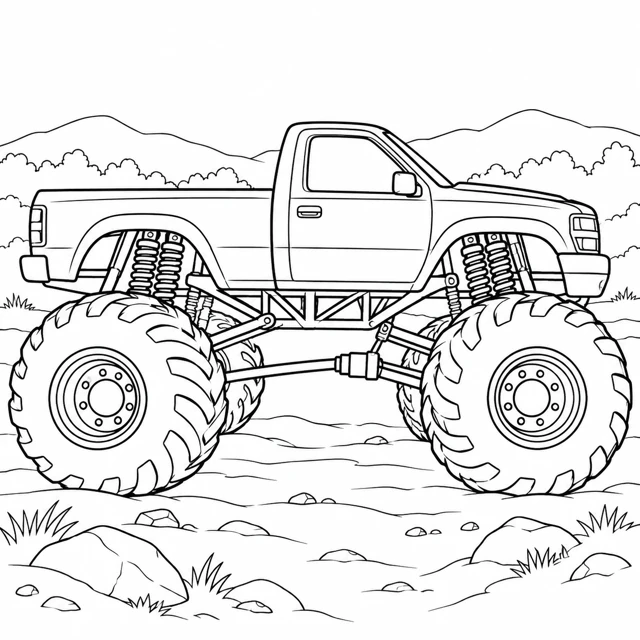
Try the three-strip arrangement here
Use each piece's left and right buttons to exchange it with its neighbor. Look for a body panel, tire edge or landscape line that continues into another strip. Check arrangement compares the order with the original picture; Show reference reveals the intact drawing. Start again restores the prepared shuffled order. These are three crops of one reviewed image, not three new illustrations or a new AI generation.
The browser activity uses uncolored images. It does not save a child's name, color a picture or make an ability score. Its controls run locally after the public files load. The digital arrangement is separate from the prepared PDF; changing the screen order does not modify the downloaded document.
Download the real two-page activity
Each PDF has two pages: one intact reference and one shuffled cutting sheet. No sign-in or generation is required.
Choose the PDF matching your paper. Both versions keep the same activity dimensions: each piece is 50 by 150 mm at actual size, and the assembled picture is 150 by 150 mm. The first page contains the whole picture at that same size. On the second page, 10 mm gaps separate the cutting rectangles, so the pieces are easy to distinguish before cutting. A thin outline marks each piece's outer edge.
The source drawing is 1254 by 1254 pixels. Its three pieces each use exactly 418 by 1254 pixels, with source columns 0-417, 418-835 and 836-1253. Placing those crops back in order reconstructs the original pixels exactly. The PDF places each strip at a matching width and height; no missing band or overlapping source column is added. These are digital layout checks, not proof of paper cutting accuracy.
Prepare the paper version
- Open the matching PDF and inspect both pages. Keep page one as the intact reference rather than cutting both copies.
- Print single-sided so the reference and pieces are separate. In your viewer, check paper size, orientation and scaling before using materials.
- If you want the stated dimensions, use an actual-size setting where your viewer supports it. A fit setting can scale the entire page; that changes the physical dimensions but should not change the intended picture order.
- Color the three strips while they are still part of the sheet. Keep the reference nearby if you want one color to continue across a cut.
- With suitable supervision and tools, cut around each thin rectangle. Arrange the three long pieces until the truck and ground lines join.
- Leave the pieces loose for another turn, or mount your finished arrangement on a separate backing sheet. Glue and backing materials are your own choices, not included in the download.
We have not tested physical printing, paper weight, scissors, adhesive or classroom use. Choose materials and supervision for the people actually participating; this activity has no tested age rating. If your printer supports heavier stock, follow its instructions instead of assuming that every sheet feeds reliably. You can use the page-local arrangement without cutting anything.
Help someone compare edges without giving an answer score
Start with the outline of a large tire or the horizontal truck body. An outside edge often has more uninterrupted white space, while an internal cut passes through continuing marks. Place two pieces beside each other and check whether those marks meet. If the joins look wrong, exchange a neighboring piece and compare again. Use the complete reference whenever it is helpful rather than treating it as something to hide at all costs.
For a home activity, let one person color the pieces and another suggest an arrangement. At a classroom or party table, keep each set together in its own envelope or on a backing sheet. Multiple copies use the same picture, so mixing pieces from differently colored sets can create a confusing combination. This is an optional creative prompt, not a measured learning exercise or a competition to finish fastest.
The picture intentionally crosses the strip boundaries. Cutting does not remove a truck part when all three pieces are retained and aligned. A piece on its own shows only a section; it is not a damaged standalone coloring sheet. Keep that distinction when choosing a preview or saving a crop. For a complete uncut drawing, use the original in the monster truck collection.
Choose a different activity when it fits better
Our matching-pair activity compares two copies of separate pictures. This strip puzzle instead reconstructs one picture across three adjoining edges. The bookmark layouts keep a full square drawing inside each tall shape, so they are another different use of a narrow page area. Choose according to what you want to do rather than counting how many rectangles appear on paper.
The prepared PDFs do not accept a new photo or regenerate the vehicle. If you want a different subject, start with your own permitted image or the AI coloring page generator, inspect the actual output and plan a separate crop layout. Do not assume that an image model will return three perfectly matching strips on request. Preserve one intact source and divide that actual file when exact continuity matters.
For viewer-specific printing options, Adobe's official PDF printing guidance describes the print workflow. Settings differ across viewers and printer drivers. These prepared pictures are for personal and classroom activities; this page does not grant resale rights or clear rights for images from elsewhere.
Questions about coloring-sheet strip puzzles
Are the strips three different original drawings?
No. They are three exact adjoining crops of one existing reviewed illustration. Rejoining them in the original order reconstructs that picture.
Does changing the online order change the PDF?
No. The page-local arrangement and the prepared two-page PDF are separate. The PDF always contains the reference and the same shuffled strip sheet.
Should I color before cutting?
Coloring before cutting keeps the long pieces together on the sheet. You may choose another approach, but keep every strip and use suitable supervision for cutting.
Are A4 and Letter different puzzle sizes?
At actual size, both PDFs use 50 by 150 mm strips and a 150 by 150 mm assembled picture. Their paper dimensions and surrounding margins differ.
Have these files been tested on paper?
No physical printing or cutting test has been performed. The source crops, PDF dimensions and digital renders have been checked.