CUSTOM COLORING SHEETS / A LEFT–RIGHT CHECK
Mirror a coloring sheet without losing your way.
Flip the picture horizontally when you need its subject to face the other direction. Keep names, numbers and directional instructions outside that flip: they will reverse too. The helper below mirrors one existing illustration locally and exports its original pixel dimensions, with no regeneration or new detail.
Try the original and mirrored sheet
Enable JavaScript for the local preview; the original file link still works.
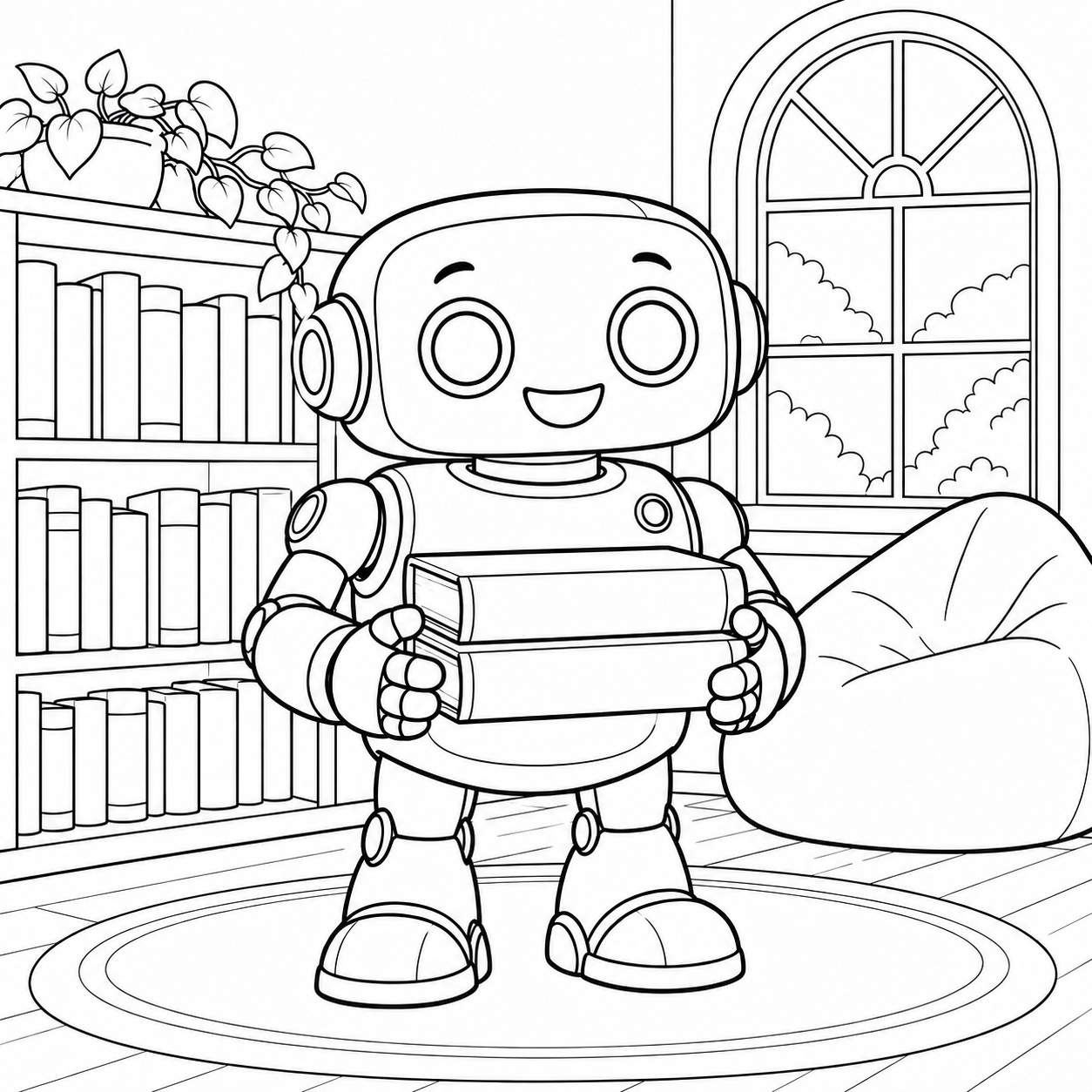
Prepared sample only · local reflection · no new AI generation
Start with the direction you need
A left-facing picture can be useful beside a right-facing one in a display, or when arranging two animals to look toward the center of a page. Mirroring changes that arrangement without asking an image model to redraw the subject. It also reverses every asymmetric feature in the picture. A pocket, handle or raised arm will move to the other side. This is a graphic-layout choice, not a way to correct anatomy or prove that a real object has been drawn accurately.
The sample uses our existing reviewed robot carrying two library books. Compare the bookshelf, the robot's pose and the book stack before deciding which direction belongs in your activity. The helper deliberately has no name field: any lettering already inside an uploaded or generated picture would also be mirrored. It accepts this prepared example only; your own photo conversion remains in the separate photo to coloring page tool.
Use the same drawing, not a second generation
- Inspect the original. Find a feature that is clearly off-center, such as the shelf or the books. A nearly symmetrical subject can make a reversal difficult to notice.
- Choose Mirror horizontally. The preview reflects left and right. It keeps the top at the top and the bottom at the bottom; it does not rotate the page.
- Compare names and symbols separately. If an arrow, number or word communicates an instruction, check whether the changed direction would change that instruction. Keep labels on a separate unflipped panel when making your own layout.
- Download the selected PNG. The filename states original or mirrored. Reopen that file to check orientation before adding it to a document or printing copies.
- Return to Original when needed. This draws again from the unchanged source file. It does not repeatedly transform the current preview, so switching back restores the initial orientation.
What this original comparison actually checks
The helper draws one source PNG to a canvas of the same width and height. Original mode uses the normal horizontal coordinate direction. Mirrored mode reflects that direction and shifts the drawing back inside the canvas. For a width of W pixels, source column x moves to output column W − 1 − x. The top-to-bottom coordinate stays unchanged. This relationship can be checked against the downloaded pixels rather than relying on a caption or CSS effect.
The browser approach follows the documented negative horizontal scale operation in MDN's canvas scale reference. Our implementation resets the canvas transform before each draw, so a previous selection cannot accumulate another flip. The export is a PNG of the reflected raster. It is not a vector conversion, a resolution enhancement, an animation or a new AI illustration. The source file is available directly if JavaScript is unavailable.
Three ways to use a reversed sheet
A pair that faces inward
Place an original and a mirrored version on opposite sides of a display. First confirm that the two subjects really face toward the space between them; a sideways gaze can differ from the body direction. Give the surrounding background a quiet color and leave a gap between the pictures. Mirroring one illustration makes a layout pair, not two independently composed pieces of artwork.
A front-and-back observation activity
Choose a few visible features and write where they appear in each version: bookshelf on one side, book stack on the other, and which hand sits nearest the edge. Keep the written observations outside the picture. Do not present this as a developmental assessment or a tested learning outcome. It is a prepared drawing comparison with an answer that participants can verify visually.
A layout check before assembling a book
Try both orientations beside your planned text panel. Pick the arrangement that leaves useful white space near the label without cutting off a hand, wheel or leaf. Check any symbol that has a real direction. For page sequence decisions, use the separate coloring book sequence planner; this helper changes only one image's horizontal orientation.
Save, place and inspect before printing
Use the full-resolution downloaded PNG rather than saving a small screenshot of the preview. Mirroring keeps the source pixel count; it cannot add drawing detail. If you enlarge the picture, the same pixels cover a larger printed area. Our source-resolution comparison explains that arithmetic, and the fit-to-paper helper addresses placement and margins.
Inspect your document and printer settings for an additional mirror option. Applying another horizontal reversal can undo the one saved in the PNG. We have not tested this workflow on a physical printer, window film or transfer paper. Materials can have their own orientation requirements, so use their actual instructions rather than treating this digital reflection as a universal transfer-printing method. This page makes no commercial-license grant for pictures you bring from elsewhere.
Questions about mirrored coloring sheets
Does mirroring create a second original drawing?
No. It reverses an existing drawing. The composition and details come from the same source, so do not count it as a new independently composed illustration.
Will a name or number stay readable?
Not if it is part of the mirrored image. All pixels reverse together. Keep readable lettering in a separate, unflipped label when arranging your own document.
Does this download just flip the preview with CSS?
No. The selected orientation is drawn into the canvas and exported as a PNG. The original source download is also available separately.
Will flipping fix extra limbs or an incorrect wheel?
No. A reflected defect is still a defect. Review the drawing and replace or correct unsuitable artwork before using it.
Have these files been tested on paper?
No physical printing test has been performed. This page covers a digital orientation check; inspect your saved image and print preview before using materials.