Custom Coloring Sheets: One Picture Across Four Pages
Make one larger coloring picture from four prepared PDF pages. This set places the same reviewed tractor illustration across a 360 mm square, with four 190 mm panels and 20 mm overlaps. Download the A4 or Letter version, inspect all four pages, and keep the viewer at actual size if you want the stated dimensions. Printing, trimming and assembly have not been physically tested.
A larger picture, rather than four smaller pictures
These custom coloring sheets answer a different layout question from our four pictures on one page. That arrangement reduces separate pictures to share a sheet. This one enlarges a single picture beyond a normal sheet width and divides its view between four pages. It is also different from the strip puzzle: the panels overlap, stay in a fixed two-by-two order, and are intended to line up as one larger drawing.
The source is the orchard crate tractor from the tractor coloring collection. We retain its original pixels and complete composition; the PDFs use clipping windows to show different portions. No new tractor, missing detail or higher-resolution artwork is invented. On each page, the small location key and panel letter identify the intended position. The location key is a guide outside the coloring area, not an extra piece to add to the picture.
Locate a panel in the complete picture
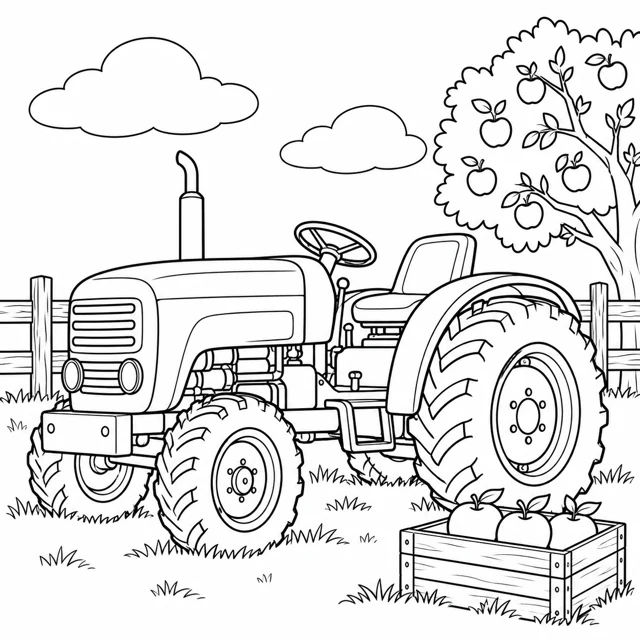
The overlay locates a panel; it is not a print preview or an assembled paper photograph.
Check the geometry before choosing a paper size
Panel A belongs at the upper left, B at the upper right, C at the lower left and D at the lower right. Each panel shows 190 mm of the same virtual picture. The second column begins 170 mm from the left edge and the second row begins 170 mm from the top. That creates a 20 mm repeated strip at every adjacent join. Two 190 mm widths minus the repeated 20 mm give the 360 mm total.
| Property | A4 file | Letter file |
|---|---|---|
| PDF page dimensions | 210 × 297 mm | 215.9 × 279.4 mm |
| Pages in the download | 4 | 4 |
| Visible picture panel | 190 × 190 mm | 190 × 190 mm |
| Horizontal/vertical overlap | 20 mm | 20 mm |
| Combined picture extent | 360 × 360 mm | 360 × 360 mm |
Both files keep the picture panels at the same scale. Their surrounding paper margins differ. Choose the file that matches the paper actually loaded, rather than assuming a viewer can substitute paper sizes without changing anything. The panel frame is a positioning aid; the full paper edge is not the final picture edge.
Inspect one join before preparing every panel
Open the PDF and check that all four panel letters appear once. Inspect the repeated picture features near the A/B join, then compare A/C. The overlap contains duplicated image content; it is not a blank spacer. If you later assemble paper copies, align the repeated contours before attaching anything. Adult help may be appropriate for cutting. Decide where to trim or tuck paper only after inspecting the actual margins and the intended joint.
For these prepared files, print each PDF page as an ordinary page. Do not apply another poster-tiling operation to the already tiled PDF: that can divide each panel again. Adobe's poster-printing documentation explains tiling and overlap for a single large page. Our files already contain the four pages, so the task is preserving their scale, not creating a second set of tiles.
If your printer preview clips the 190 mm panel, stop and inspect its printable area. A viewer's fit option may keep more content on paper while changing the measured size. That can be useful, but the 360 mm combined size then no longer follows from the file dimensions alone. See fit-to-paper guidance for the distinction between a file's layout and a printer's usable area.
Enlargement keeps the pixels you already have
The source is 1254 pixels square. Placing it across 360 mm gives about 88.48 source pixels per inch, calculated as 1254 ÷ (360 ÷ 25.4). That is a placement calculation, not a print-quality rating. Enlarging a drawing does not recover extra detail. Broad shapes may suit a larger activity, while small line irregularities can become more visible. Inspect the full-size original and your viewer before committing paper.
Our source-resolution check discusses pixel count separately. The browser preview here is only for understanding panel position; it cannot certify a physical print. There is no automatic sharpening, vector conversion or line repair in this download. If the source's details do not suit the larger format, use a smaller placement or choose another activity instead of assuming four pages guarantee a sharper picture.
What was checked in these files
The builder checks four page boxes per file, the 190 mm panel dimensions and the complete union of the four clipping windows. All source pixel centers fall inside at least one window. The row and column joins each repeat 20 mm in the virtual layout. Rendered pages are also inspected for complete labels, visible artwork and unclipped instructions. These are file and screen checks; they are not evidence of real-world alignment, ink behavior or successful assembly.
Questions before downloading
Are these four different tractor drawings?
No. All four pages show overlapping portions of one existing reviewed tractor picture. Together they describe one 360 mm square picture.
Should I select Poster again in the print dialog?
These PDFs are already tiled. Print their four pages as ordinary pages; another tiling step can split the prepared panels again.
Why do nearby panels repeat part of the drawing?
The 20 mm overlap repeats the same source region so adjacent contours can be aligned. It should not be treated as extra picture width.
Does this improve the original resolution?
No. The 1254 pixel source stays unchanged. Enlarging it to 360 mm gives about 88.48 source pixels per inch and adds no detail.
Has this been physically printed and assembled?
No. PDF geometry, rendered pages and browser downloads are checked; physical printing, trimming and assembly remain untested.